
Most companies already have the information needed to manage transportation effectively.
The customer order is in the ERP. The shipping location, destination, purchase order, requested delivery date, product information, and financial ownership are already known.
The problem is that transportation often operates outside that connected workflow.
Employees re-enter the same order into a transportation system, visit carrier websites to obtain rates, send emails to secure capacity, manually update tracking information, and then repeat portions of the process when the carrier invoice arrives.
Each additional handoff creates more work and another opportunity for incomplete, inconsistent, or outdated information.
At Hatfield & Associates, we build the connection between your ERP and Transportation Management System through an API-driven workflow, supported by our dedicated freight audit staff at the point where it matters most—the carrier invoice.
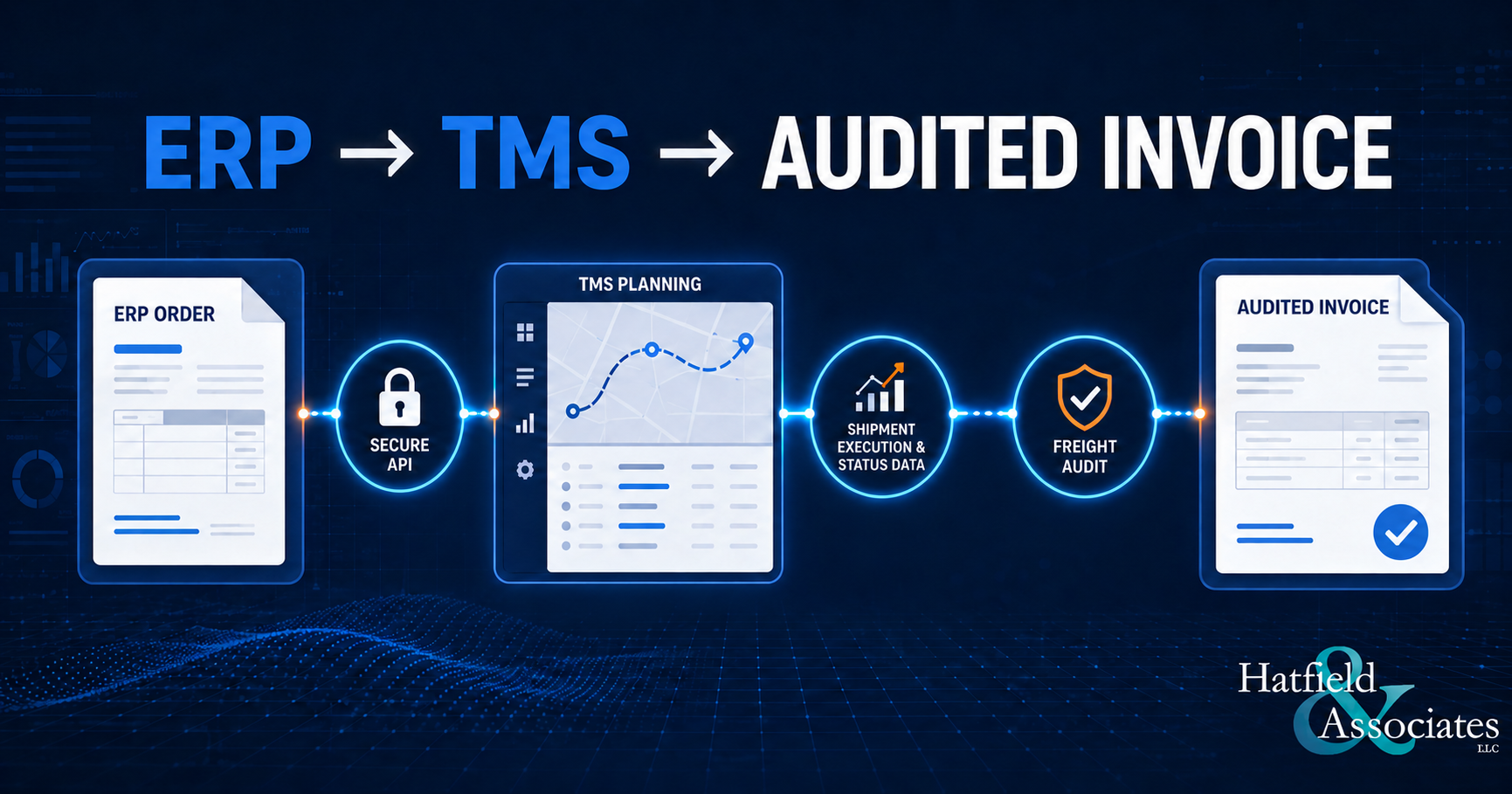
The ERP continues to manage the order and financial transaction. The TMS manages the transportation activity. The API moves information between the two systems, from order entry through carrier selection, shipment execution, freight audit, accounting, and reporting.
Depending on the client’s integration, carrier capabilities, and configured business rules, the connected lifecycle may look like this:
ERP order
↓
TMS transportation planning
↓
Rating and routing
↓
Carrier selection and tender
↓
Tracking and delivery visibility
↓
Carrier invoice
↓
Audit by Hatfield & Associates’ dedicated freight audit staff
↓
Accounting and reporting
The sections below walk through each part of that connected workflow.
The ERP and TMS Have Different Jobs
An ERP is designed to manage the broader business transaction. It typically contains the customer order, purchase order, inventory information, business unit, facility, product, and accounting structure.
A TMS is designed to manage the transportation decision.
That can include:
- Determining the appropriate transportation mode
- Applying routing and carrier-selection rules
- Calculating expected freight charges
- Comparing available transportation options
- Creating and tendering shipments
- Retaining shipment references and documentation
- Tracking shipment activity
- Reviewing carrier invoices
- Identifying billing differences
- Supporting freight approval and reporting
The goal is not to force the ERP to become a transportation platform. It is to connect the ERP to a system built specifically to manage freight.
That is where the work of Hatfield & Associates begins.
Step 1: Send the Order to the TMS
The workflow begins when an order in the ERP is ready for transportation planning.
Through an API, the ERP can send the information required to begin the shipment process. Depending on the operation, that may include:
- Ship-from and ship-to locations
- Purchase order and customer order numbers
- Requested ship and delivery dates
- Shipment weight and dimensions
- Freight terms
- Product or handling requirements
- Division, facility, or business-unit information
- Customer and supplier references
This eliminates the need for a transportation employee to rebuild the order manually in another system.
More importantly, both platforms begin with the same information.
When employees repeatedly enter addresses, weights, dates, or reference numbers by hand, the issue is not only the time required. Re-entry also creates the risk that the ERP and transportation records may no longer match.
An API establishes one consistent starting point.
Step 2: Apply Transportation Rules
Once the order reaches the TMS, transportation-specific logic takes over.
The system can evaluate the shipment against client-defined business rules covering:
- Shipment size and weight
- Origin and destination
- Required service
- Transportation mode
- Carrier eligibility
- Freight terms
- Contracted rates
- Accessorial requirements
- Routing-guide requirements
- Facility or division rules
This is where a dedicated transportation platform provides value beyond simple data transfer.
The API delivers the order, but the TMS determines how that order should move.
For some shipments, the appropriate option may be parcel. For others, it may be less-than-truckload, truckload, expedited, air, ocean, or another specialized service.
Instead of presenting every available carrier for every shipment, the TMS can apply eligibility rules and identify the carriers and services that fit the selected mode and shipment requirements.
Step 3: Rate and Select the Shipment
Transportation rating should be more than visiting multiple carrier websites and comparing numbers manually.
The TMS can use contracted rates, tariffs, fuel-surcharge rules, accessorial logic, and client-specific requirements to calculate an expected transportation cost.
Depending on the integration, the resulting information may include:
- Carrier
- Transportation mode
- Service level
- Estimated freight charge
- Transit information
- Shipment identifiers
- Routing decision
- Tender status
These options can be reviewed within the transportation workflow or returned to the ERP for use within an existing order-management process.
This allows the ERP to remain the primary business system while relying on the TMS for the transportation calculation.
It also creates a repeatable process. Two employees reviewing the same shipment should not reach different answers simply because they checked different carrier websites or interpreted routing instructions differently.
Step 4: Create and Tender the Shipment
Once the carrier and service are selected, the TMS can create the shipment and continue the execution process.
The shipment record retains the information received from the ERP, along with the transportation decisions made within the TMS.
Important references can continue with the shipment rather than being entered again later. These may include:
- Purchase order
- Customer order
- Site number
- ASN
- Cost center
- Division
- Customer reference
- Supplier reference
The TMS can then support the carrier-tender process and retain the resulting shipment and carrier information.
When the systems are integrated, key results may also be returned to the ERP, including:
- Selected carrier
- Service level
- Expected freight cost
- Tracking number
- PRO number
- Bill of lading number
- Other shipment identifiers
The objective is not to duplicate every TMS screen inside the ERP. It is to return the information other departments need to continue their work.
Step 5: Improve Visibility After the Shipment Leaves
Transportation integration should not stop when a carrier accepts the shipment.
Customer service, purchasing, operations, sales, and accounting may all need information after the order leaves the facility.
A connected workflow can make selected transportation details available without requiring each department to search carrier websites or contact the transportation team.
Depending on carrier capabilities and available data, shipment information may include:
- Tracking events
- Pickup activity
- Delivery status
- Shipment route
- Service level
- Package information
- Carrier references
- Delivery dates
- Transportation charges
The TMS remains the detailed transportation workspace, while relevant information can be returned to the ERP or another business system.
That allows employees to answer common questions more quickly:
- Has the order shipped?
- Which carrier has it?
- What service was used?
- What is the tracking number?
- Has it delivered?
- What was the expected freight cost?
A Connected Workflow in Practice
Consider a manufacturer releasing an order from its ERP.
The API sends the shipment details to the TMS. The TMS applies the manufacturer’s routing rules, transportation requirements, and contracted rates.
The selected carrier, service level, and expected cost are then returned to the ERP. The TMS retains the shipment references and supports the carrier-tender process.
After delivery, the carrier invoice is connected to the original shipment information. The expected freight charge is compared with the amount billed, and Hatfield & Associates’ dedicated freight audit staff reviews the invoice before it proceeds through the client’s approval and payment workflow.
The order, transportation decision, shipment activity, invoice, and audit outcome remain connected throughout the process.
Step 6: Connect the Carrier Invoice to the Shipment
A complete transportation workflow does not end with delivery.
The carrier invoice must still be received, reviewed, approved, and prepared for payment.
This is where the information gathered earlier in the process becomes especially valuable.
Because the TMS already contains the shipment details, carrier selection, expected rate, references, and business rules, it can compare the carrier invoice against the expected transportation charge.
The review process may consider:
- Contracted carrier rates
- Fuel surcharges
- Accessorial charges
- Shipment weight
- Transportation mode
- Origin and destination
- Service level
- Supporting documentation
- Client-specific audit rules
This is also where Hatfield & Associates’ dedicated freight audit staff becomes directly involved.
Our audit team uses the information and business rules maintained within the TMS to review charges, investigate discrepancies, validate supporting documentation, and help ensure that invoices are processed according to each client’s contracted rates and requirements.
Invoices that match the expected amount can continue through the normal workflow. Invoices with a difference are identified for additional review by our audit staff.
This allows our team to concentrate on the discrepancies most likely to require research, correction, or recovery rather than treating every carrier invoice as though it presents the same level of risk.
Technology helps organize the information and identify differences. Our dedicated audit staff provides the professional review and judgment needed to resolve them.
Step 7: Support Freight Accounting
Transportation and accounting often view the same shipment through different lenses.
The transportation team is focused on the carrier, mode, route, service, and delivery.
Accounting is focused on the entity, facility, cost center, general-ledger account, and financial treatment.
A connected TMS and ERP environment can draw on information from both systems to improve freight accounting.
Shipment characteristics may help determine the appropriate financial classification, including:
- Inbound or outbound movement
- Parcel, LTL, truckload, air, or ocean
- Customer shipment or supplier shipment
- Intercompany transfer
- Warehouse transfer
- Reverse logistics
- Shipping facility
- Freight terms
- Order or reference type
Defined business rules can automate repeatable classifications while still allowing authorized users to correct exceptions.
Good automation should not remove human oversight. It should handle routine decisions, preserve controlled corrections, and generate information that helps improve the rules over time.
A More Practical Approach to Transportation Technology
Companies do not always need to replace their ERP or rebuild every existing business process to improve transportation operations.
In many cases, the better approach is to connect the systems already responsible for different parts of the workflow.
The ERP manages the order, customer, inventory, and financial transaction.
The TMS manages transportation planning, execution, visibility, and freight-specific business rules.
Hatfield & Associates’ dedicated freight audit staff provides the professional review and exception handling that helps ensure carrier invoices align with each client’s contracted rates and requirements.
The API connects them.
Transportation should not operate as an isolated step between the order and the invoice. It should be one connected business process from beginning to end.
Is Your Transportation Process Connected?
Consider these questions about your current operation:
- Is order information manually re-entered into your shipping system?
- Are employees visiting multiple carrier websites to obtain rates?
- Are transportation decisions consistently based on contracted rules, or do they vary depending on who is handling the shipment?
- Can customer service see shipment information without contacting the transportation department?
- Can carrier invoices be matched to the original shipment and expected cost?
- Are those invoices reviewed by an experienced, dedicated freight audit team?
- Does freight accounting require additional manual classification after the fact?
- Can transportation results be returned to your ERP?
If several of these steps still depend on manual entry, spreadsheets, carrier websites, or email, there may be an opportunity to connect more of the transportation lifecycle through an ERP-to-TMS integration.
To learn more about connecting your ERP with Hatfield & Associates’ Transportation Management System and dedicated freight audit services, contact our team to discuss your current order, shipping, and freight-audit process.